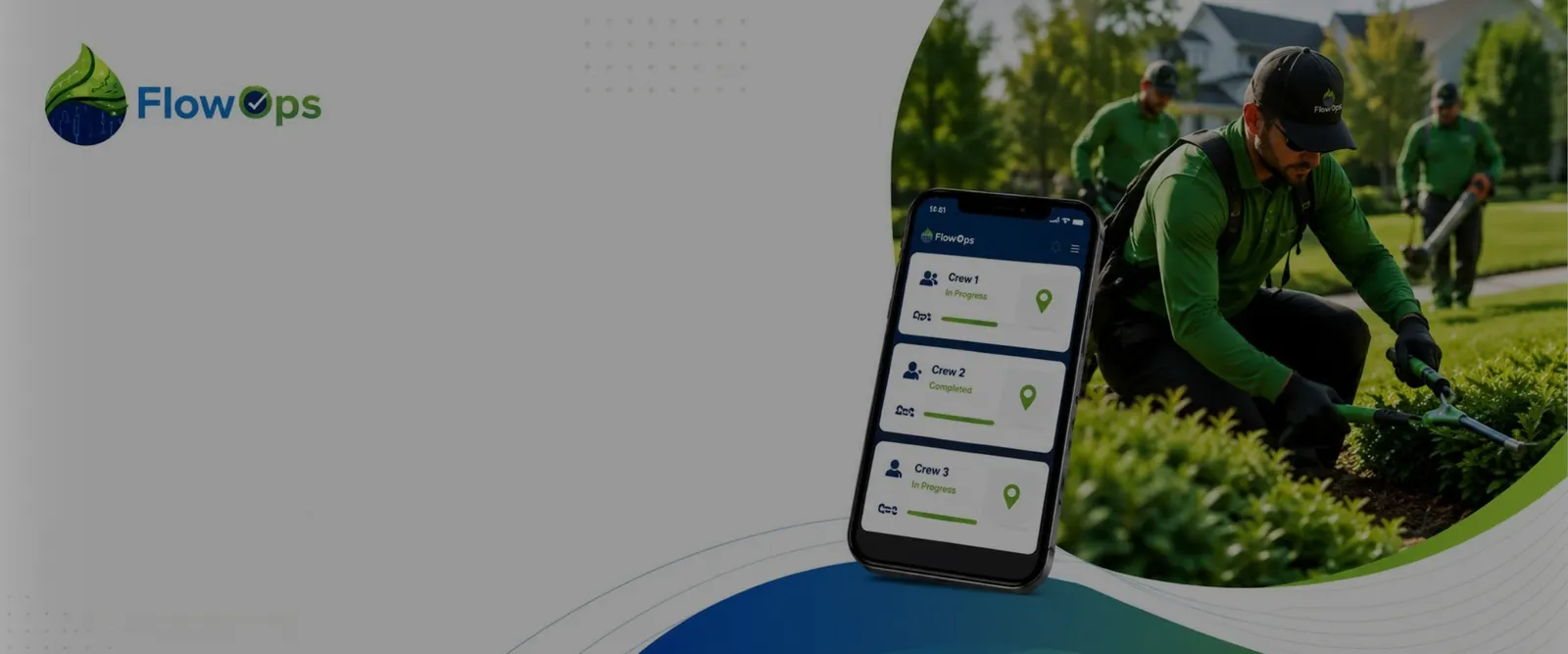
Running one crew is manageable with a clipboard and a phone call at the end of the day. Running six, or twelve, or twenty is a different problem. Each crew is on a different property, working a different scope, running into different issues, and reporting back through whatever method is fastest for them at the moment. A text here, a call there, a note scribbled on a work order. None of it lines up, and the office ends up managing crews by piecing together fragments instead of looking at one clear picture.
This is where a lot of property maintenance and field service operations hit a ceiling. The work itself scales fine. Crews can be added, routes expanded, new properties signed. What doesn't scale is a management approach built on informal check-ins, because every crew added is another stream of updates to track, another set of notes to interpret, and another chance for something to fall through the cracks. The bottleneck isn't labor. It's visibility, and specifically, it's whether the record of what each crew did arrives in a form the office can actually compare. Multi-crew field management software exists to close that gap: a consistent, structured view across every crew, every property, and every job, without a phone call to assemble it.
Where Multi-Crew Operations Start Losing Visibility
The trouble rarely shows up on day one. It appears once a company grows past the point where one manager can hold the whole operation in their head, and a few patterns tend to surface first.
Each crew develops its own reporting habits. One calls in updates, another texts photos, a third waits until the end of the week to mention anything. Without a shared format, the office has no way to compare one crew's day to another's, so a small issue at one property can go unnoticed until it becomes a large one. Accountability gets fuzzy for the same reason. When a job runs long, a task gets skipped, or a property is serviced out of order, it's hard to say why without asking around and hoping someone remembers. None of this reflects on the crews. It's what happens when a growing number of teams are managed with tools built for managing one.
Built for Multiple Crews, Not Adapted for Them
There's a real difference between software that happens to work across several crews and software built to hold them to one standard. A crew documentation app designed for one user at a time will store entries fine, but it keeps each crew's activity in its own feed, so an office manager still checks five or six places to understand a single day. Software built for multiple crews produces one consistent record across every crew, every property, and every job, so the comparison and the accountability happen in the same place.
That difference shows up throughout the day. As crews work, each one logs progress in the same structured format, so a manager looking across ten properties sees ten consistent records rather than ten different styles of note. A delay, a completed job, or a flagged issue reads the same way no matter which crew reported it. By day's end, the office has a complete account of what every crew did, not a partial one assembled from whichever crews happened to check in. Multi-crew field management software makes that account automatic instead of something someone has to chase down.
The Cost of Managing Crews Without a Shared System
When crews operate on their own reporting habits, the cost shows up in places that are easy to miss until they add up. Managers can spend hours each week calling around just to confirm which properties were actually serviced, time that could go toward growing the business instead of tracking it. Underperformance on one crew can go unnoticed for weeks, because there's no consistent baseline to measure against when every crew's updates look different. And when a client calls with a question about a specific visit, the answer depends on which crew did the work and whether anyone happens to remember the details.
None of these costs are dramatic on their own. Together, they're the difference between a company that can add crews cleanly and one that strains a little more with every team it takes on. The strain isn't in the field. It's in the office, absorbing the reconciliation work that inconsistent reporting creates.
What Actually Supports Multi-Crew Operations
Not all field service documentation software is built with multiple crews in mind. Much of it is designed around a single technician or a single property and simply lets more users log in, without giving the office any way to compare or hold crews to one standard. The traits that actually support multi-crew work are more specific.
The system produces a single, consistent record across every crew and property, not a separate feed per crew that someone checks individually. It standardizes how updates are logged, so a report from one crew reads the same way as a report from another, which is what makes comparison across crews possible at all. And it ties every update back to a specific crew, property, and time, so accountability rests on the record rather than on memory. For multi-property operations, property maintenance documentation only becomes useful when it reads the same way no matter which crew filled it out. The point isn't to change how crews work in the field. It's to make sure that whatever they do arrives documented the same way, every crew, every property, every day.
How FlowOps Helps
FlowOps is built around the reality of multi-crew operations. Every crew logs updates, photos, and job details in the same structured format, so an office manager sees one consistent account across every team instead of piecing together five different styles of report. Because every entry is tied to a specific crew, property, and time, FlowOps makes crew accountability straightforward without a manager checking in constantly. A question about a specific visit has a specific answer, drawn from the record, not a guess based on who remembers what.
That consistency is what lets the operation grow without the office growing with it. As a company adds crews, each new team reports into the same structure everyone else already uses, so the tenth crew's documentation is as usable as the first crew's. The office is not learning a new reporting style with every hire. It's reading the same record, wider.
Consistent Crew Management Is a Documentation Outcome
The challenge of running multiple crews is rarely the work itself. Crews know how to do their jobs. The challenge is that managing several teams through informal check-ins and inconsistent updates stops working the moment a company grows past the size where one person can track it all from memory.
When every crew reports through the same system, in the same format, tied to the same properties, the office gets the visibility it needs to manage growth instead of reacting to it. That's where FlowOps fits. To see how it brings every crew into one consistent record, request a demo.
Frequently Asked Questions
What makes software "multi-crew" instead of just field service software?
Multi-crew field management software is built to give one consistent record across several teams at once: a shared reporting format and accountability tied to a specific crew, property, and time. General field service software can support multiple users without actually holding them to one standard, leaving the office to check each crew's updates separately and reconcile them by hand.
How does a shared system keep crews accountable across many properties?
Because every update is tied to a specific crew, property, and time, there's a clear record of who did what and when, without depending on anyone's memory of a phone call. That makes it straightforward to answer a client question or address a performance issue with specifics rather than guesses.
Does this kind of system make sense for a small number of crews?
Yes. Standardizing how crews report helps at almost any size, and it tends to matter more, not less, as a company adds crews. Companies that put a consistent system in place early avoid the scramble of retrofitting one after growth has already outpaced informal check-ins.
Does adopting a system like this mean changing how crews already work?
It generally means standardizing the format crews report in, not the work they do. Crews still service the same properties the same way. What changes is that their updates land in the same structured system as every other crew's, so the office gets one account instead of several inconsistent ones.
How does consistent documentation help when a client questions a visit?
When the record for every visit is captured the same way and tied to a crew, property, and time, the office can answer a specific question with a specific record: what was found, what was done, and when. Without that, the answer depends on tracking down the right crew member and hoping the detail was remembered clearly.