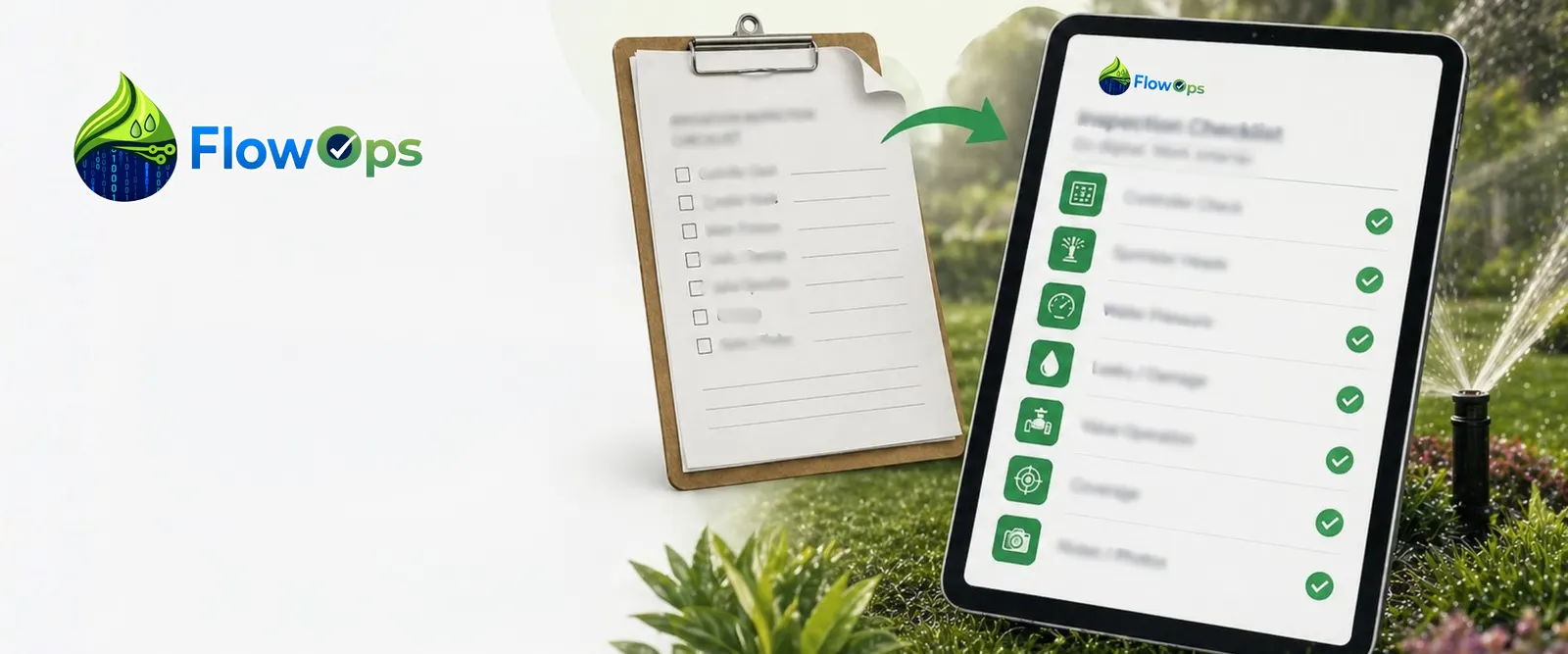
Switching from paper forms to digital inspection software isn't really about changing how inspections are done. Field crews already know their work, and they usually complete it well on-site. The operational side behind it is where things tend to break down.
Information collected in the field often gets delayed, re-entered, or scattered across different systems before it turns into usable reports. That gap between field activity and office visibility is where most inefficiencies build up.
This checklist outlines how to move from paper-based workflows to a structured digital system using tools like FlowOps, so field-to-office data flows cleanly into reporting, tracking, and decision-making without unnecessary friction. https://getflowops.ai/
Why Replace Paper Inspection Forms
Paper forms aren't really the issue during the inspection itself. The friction shows up once the information leaves the field.
Most field teams complete inspections accurately. What we tend to see in irrigation and recurring services is that the breakdown isn't the work being done, it's how that data is handled afterward.
Common breakdown points:
- Inspection records delayed before reaching the office
- Data manually re-entered into systems
- Missing or incomplete details during transfer
- Limited visibility for managers until reports are finalized
- Extra effort during audits to reconstruct information
Said simply: the inspection happens in one place, but the information has to travel through multiple steps before it becomes useful. That's where small inefficiencies start to compound.
Digital inspection software like FlowOps reduces that gap by keeping field data structured, accessible, and ready for reporting the moment it's captured.
Checklist: Moving from Paper Forms to Digital Inspection Software
1. Map your current inspection workflow
Start by mapping how inspections actually happen today. The goal is a clear baseline before introducing a digital system.
Questions to work through:
- What forms are used in the field?
- Who fills them out and who reviews them?
- Where does the data go after collection?
- How long does reporting take?
2. Define what needs to be digitized
Not everything on paper needs to be copied exactly. Focus on what carries operational weight:
- Inspection checklists
- Field notes and observations
- Photos and proof of work
- Compliance requirements
- Repair tracking
A solid inspection checklist tool should allow flexible form building so the structure matches real field conditions, not a generic template.
3. Choose a mobile-first inspection solution
Field teams shouldn't have to fight the tool to get through a job. Look for a mobile inspection app that supports:
- Offline data capture for remote sites
- Clear checklist navigation
- Photo and video uploads
- Quick form completion on-site
FlowOps is built around mobile-first field workflows, so technicians can complete inspections without switching between tools.
4. Real-time data sync between field and office
One of the meaningful upgrades from paper forms is real-time visibility. Your digital inspection software should:
- Sync field updates as they happen
- Allow office teams to track progress live
- Reduce back-and-forth calls and messages
This is where FlowOps connects field updates directly to centralized dashboards, so nothing gets stuck in transit between the crew and the office.
5. Integrate with ERP and existing systems
A common reason companies hesitate to go digital is concern about disruption to existing systems. The right system should support:
- ERP reporting integration
- Data export for accounting or operations tools
- Automated reporting workflows
FlowOps supports ERP integration and reporting automation, helping inspection data flow directly into business systems without manual entry.
6. Automate inspection reports
Report preparation after fieldwork is one of the places delays quietly add up. With digital inspection software, you should be able to:
- Generate reports automatically after inspection
- Attach photos and field notes without manual sorting
- Share standardized reports with clients or management
This tightens both the speed of billing and the consistency of what's being delivered.
7. Train field teams for simple adoption
Even the right software fails if teams don't actually use it. Focus on:
- Short, practical onboarding sessions
- Mobile-friendly interfaces crews can pick up quickly
- Real-world usage scenarios instead of technical training
The standard to hold the system to: easier than paper, not harder.
8. Standardize inspection data across teams
Paper forms tend to vary by technician, which creates inconsistent reporting and makes it harder to compare across crews or branches. With a structured digital system:
- Every inspection follows the same format
- Data is easier to compare and analyze
- Reporting stays uniform across locations
That documentation discipline is what makes scaling to more crews or more branches actually workable.
9. Track performance and refine over time
Once the system is running, the data starts to do additional work. Use what's collected to:
- Identify recurring maintenance issues
- Improve inspection accuracy over time
- Refine field routes and scheduling
- Measure team performance against consistent benchmarks
Over time, structured inspection data becomes a feedback loop into how the operation is run.
How FlowOps Fits Into Digital Inspection Workflows
FlowOps is built for teams that want to move beyond paper without adding complexity. It brings together:
- Mobile inspection software for field crews
- Real-time updates from site to office
- Structured digital forms and checklists
- API integrations with existing systems
- ERP-ready reporting and data organization
Instead of scattered notes and delayed reports, everything is captured once at the source and used everywhere downstream.
More on how that's structured here: https://getflowops.ai/
Final Thoughts
Replacing paper forms isn't really about removing paperwork. It's about removing delays, errors, and missed handoffs from field operations.
A structured approach using digital inspection software, especially a mobile-first platform like FlowOps, helps teams:
- Work faster in the field
- Report accurately in real time
- Maintain consistent compliance records
- Connect field data directly to business systems
If inspections are a core part of how the business runs, this shift has moved from optional to operational baseline. The companies that get there earlier tend to feel it most during peak season, when small inefficiencies compound quickly.
FAQs
1. What is digital inspection software?
Digital inspection software is a mobile or web-based tool that replaces paper forms with structured digital checklists. It allows field teams to record data, capture photos, and submit reports in real time, so the information that started in the field is usable in the office without rework.
2. Why should companies switch from paper forms to digital inspection systems?
Paper forms tend to create delays, missed details, and inconsistent records once they leave the field. Digital inspection systems tighten the field-to-office handoff, give managers earlier visibility, and reduce the time it takes to get from job completion to invoice.
3. How does mobile inspection software help field teams?
A mobile inspection app lets technicians complete inspections on-site using phones or tablets. It works offline, supports photos, and syncs data automatically once connected, which means the documentation gets captured at the source instead of reconstructed afterward.